
Get in Touch
-
Phone
+92-323-2833936
-
Email Now
info@zyniti.com
-
Office # 454 ST 9, Sector 48/A Korangi 1/2 Karachi, Pakistan


Typing is still one of the biggest hidden time drains for writers, marketers, developers, students, founders, and support teams. Most people can speak faster than they can type, but normal dictation tools often create messy text that needs heavy editing. That is where Wispr Flow becomes interesting.
In these Wispr Flow reviews, we will look at what Wispr Flow does, how it works, who should use it, what its pricing looks like, and whether it is actually better than built in voice typing. You can visit the official tool here: Wispr Flow.
Wispr Flow is an AI voice dictation app that turns natural speech into clean, formatted text. Instead of only writing every word exactly as you say it, it uses AI to remove filler words, fix messy phrasing, and make your spoken thoughts read like polished writing.
For example, if you say something like, “I think we should maybe send the proposal today, actually make it tomorrow morning,” a basic dictation tool may capture the whole messy sentence. Wispr Flow is designed to understand your intention and produce a cleaner version that is ready to use.
The tool works across common writing spaces such as email, documents, messaging apps, forms, notes, and professional workflows. According to the official pricing page, Wispr Flow is available on Mac, Windows, iPhone, and Android, with support for more than 100 languages.
Wispr Flow runs as a voice typing assistant. You activate it, speak naturally, and the tool places the edited text into the active text field. The biggest difference between Wispr Flow and normal speech to text tools is the AI cleanup layer.
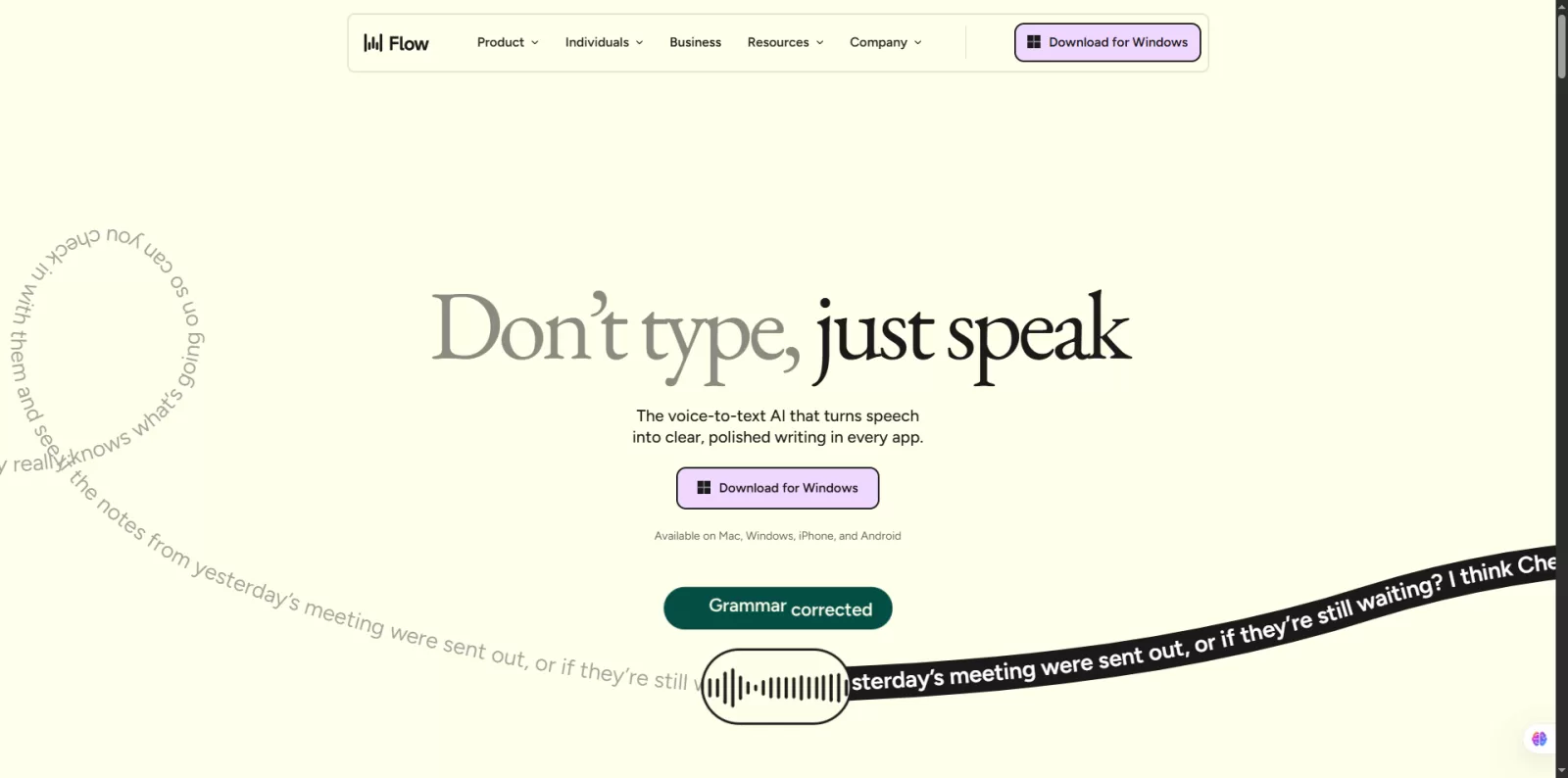
It is useful for people who do not speak in perfectly structured sentences. Most people pause, restart, use filler words, or change direction while talking. Wispr Flow tries to convert that spoken flow into text that sounds intentional.
The most valuable feature is AI auto editing. It helps turn rough speech into clearer writing without forcing you to manually remove every “um,” repeated phrase, or broken sentence.
Another useful feature is the personal dictionary. This helps Wispr Flow learn names, brand terms, technical words, acronyms, and phrases that you use often. That is especially helpful for developers, marketers, doctors, lawyers, students, and business teams that use industry specific vocabulary.
Wispr Flow also offers snippets, which can work like voice shortcuts. For example, a sales person could use a shortcut for a common follow up message, while a support agent could use it for repeated customer replies.
The Pro plan also includes Command Mode, which is useful for editing text with your voice. Instead of selecting text and rewriting it manually, you can give instructions such as making a paragraph shorter, changing the tone, or turning a rough idea into a clearer message.
Wispr Flow has a free Basic plan, a Pro plan, and an Enterprise option. The official pricing page says the Basic plan includes 2,000 words per week on Mac or Windows, 1,000 words per week on iPhone, unlimited words on Android for a limited time, custom dictionary and snippets, 100 plus languages, Privacy Mode, and HIPAA ready support.
The Pro plan costs $15 per user per month when paid monthly, or $12 per user per month when billed annually. Pro adds unlimited words across platforms, priority support, Command Mode, early access to new features, and team collaboration features.
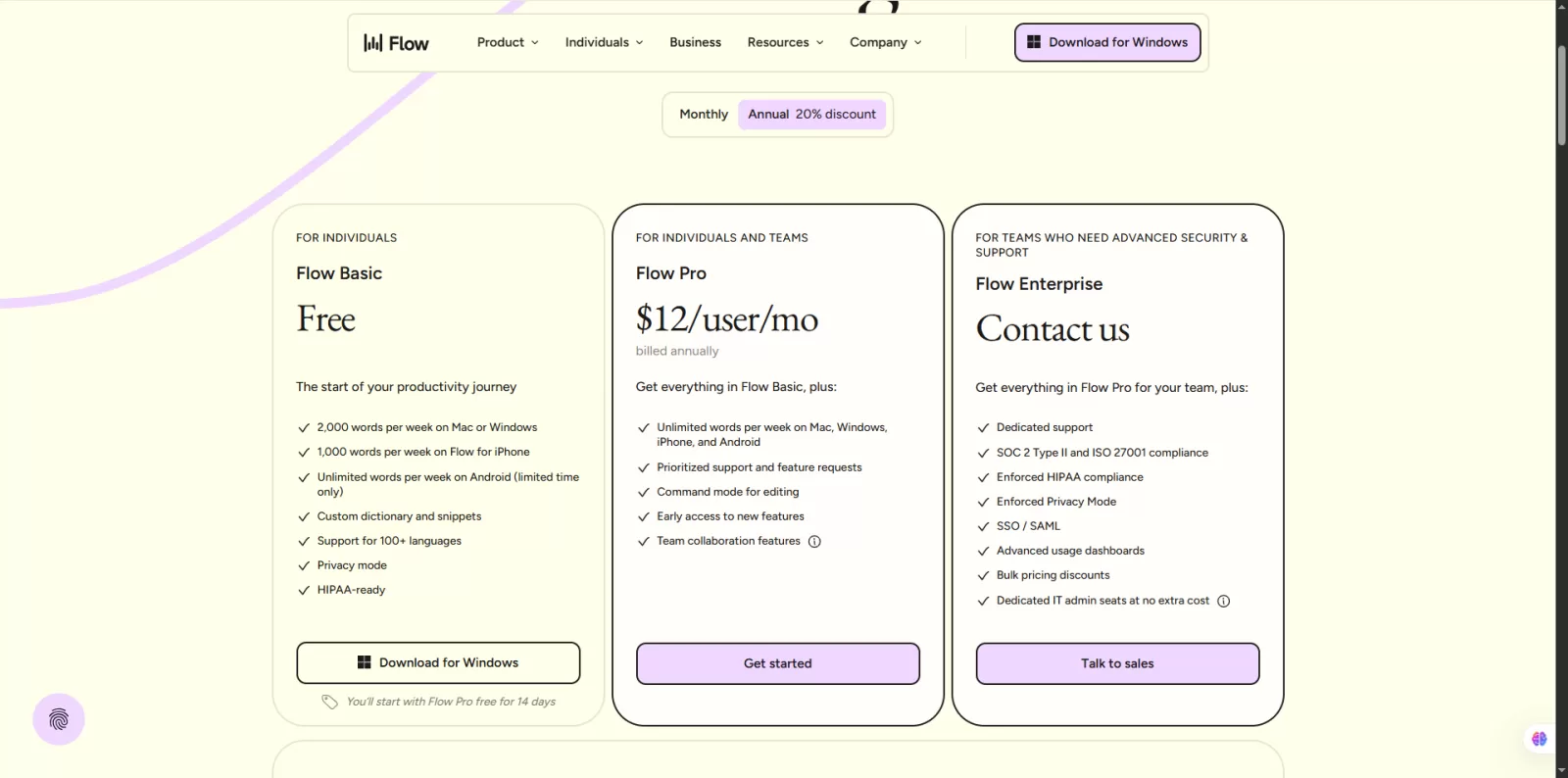
Enterprise is made for larger teams that need stronger controls. It includes items such as dedicated support, SOC 2 Type II and ISO 27001 compliance, enforced Privacy Mode, SSO or SAML, admin controls, usage dashboards, and business agreements.
For light users, the free plan is enough to test the product. For people who write emails, content, documentation, reports, outreach messages, or notes every day, Pro is the more realistic plan.
Privacy matters because Wispr Flow uses cloud processing. The official privacy page says Privacy Mode can make sure zero dictation data is stored on Wispr servers. Wispr also says it never sells or shares user data.
The data controls page explains that when Privacy Mode is enabled, dictation data such as audio, transcripts, and edits are not used to evaluate, train, or improve AI models by Wispr or third parties. It also states that transcription always happens in the cloud for speed and accuracy.
This means Wispr Flow is not a fully offline tool. If you require complete local processing, it may not be the best choice. But for many professionals, Privacy Mode and enterprise compliance options make it more trustworthy than many casual AI tools.
Wispr Flow is best for people who write a lot and want to reduce typing time. Bloggers can use it to draft outlines, article sections, intros, and email replies. Developers can use it for documentation, comments, prompts, and planning notes. Students can use it for study notes, summaries, and assignment drafts. Sales teams can use it for follow ups, CRM notes, and outreach messages.
It is also useful for people who experience wrist pain, typing fatigue, or repetitive strain from long hours on a keyboard. Instead of typing every sentence, they can speak their first draft and then make small edits.
Wispr Flow may not be ideal for users who only write a few short messages per day. In that case, built in dictation may be enough. It may also not suit people who work in very noisy places, have unstable internet, or need fully offline transcription.
Another point to consider is comfort. Voice first writing feels strange at first. You need to get used to thinking out loud. Once that habit develops, the tool becomes much more useful.
Built in dictation on Mac, Windows, iPhone, and Android is free and simple. It can work well for basic text input. However, the output often feels like a raw transcript.
Wispr Flow is better when you want cleaner writing, fewer filler words, smarter formatting, voice based editing, snippets, and a more professional result. The value is not only transcription. The value is less cleanup after speaking.
Wispr Flow is a strong AI dictation tool for people who write often and want to move faster. It is not just another voice to text app. Its real strength is turning natural, imperfect speech into clear text that can be used in emails, documents, messages, notes, and professional workflows.
The free plan is useful for testing, but the Pro plan is where the tool makes the most sense. If you are a writer, developer, student, marketer, founder, or support professional who spends hours typing every week, Wispr Flow can save time and reduce friction.
Overall, Wispr Flow is worth trying if you want faster writing, cleaner dictation, and a more natural way to get ideas out of your head and onto the screen.
Yes, Wispr Flow has a free Basic plan. It includes limited weekly word usage on desktop and iPhone, with unlimited Android usage for a limited time according to the official pricing page.
Yes, for users who want polished text. Normal dictation mainly transcribes speech, while Wispr Flow also cleans, edits, and formats your spoken words.
Yes, Wispr Flow supports Windows, Mac, iPhone, and Android.
Wispr Flow offers Privacy Mode and states that it does not sell or share user data. However, transcription happens in the cloud, so users with strict offline requirements should review the privacy settings carefully.
It is best for writers, marketers, students, developers, founders, sales teams, support teams, and anyone who creates a lot of written content daily.
Wispr Flow is worth paying for if you use dictation regularly and want unlimited words, Command Mode, priority support, and stronger productivity features.
Share your idea, business goal, or technical issue. We will review your message and reply with practical next steps.
Comments (0)
No comments yet,
Be the first to join the conversation.This discussion will show approved comments from readers.
Leave Your Comment: