
Get in Touch
-
Phone
+92-323-2833936
-
Email Now
info@zyniti.com


If you have ever wished you could turn a song into a cinematic music video without hiring a production crew or learning video editing, FreeBeat AI was built exactly for that. In 2026, the platform has emerged as one of the most talked-about tools in the creator space, trusted by over one million users across 150 countries. Whether you are an independent musician, a social media content creator, or a DJ looking to visualize your tracks, this guide covers everything you need to know about FreeBeat AI and why it stands out from every other tool on the market.
FreeBeat AI is a purpose-built AI music video generator available at freebeat.ai. Unlike generic text-to-video tools that treat audio as an afterthought, FreeBeat starts by deeply analyzing your song. It reads the BPM, beat grid, verse and chorus structure, energy curves, and even spectral characteristics like brightness and warmth before generating a single frame of video.
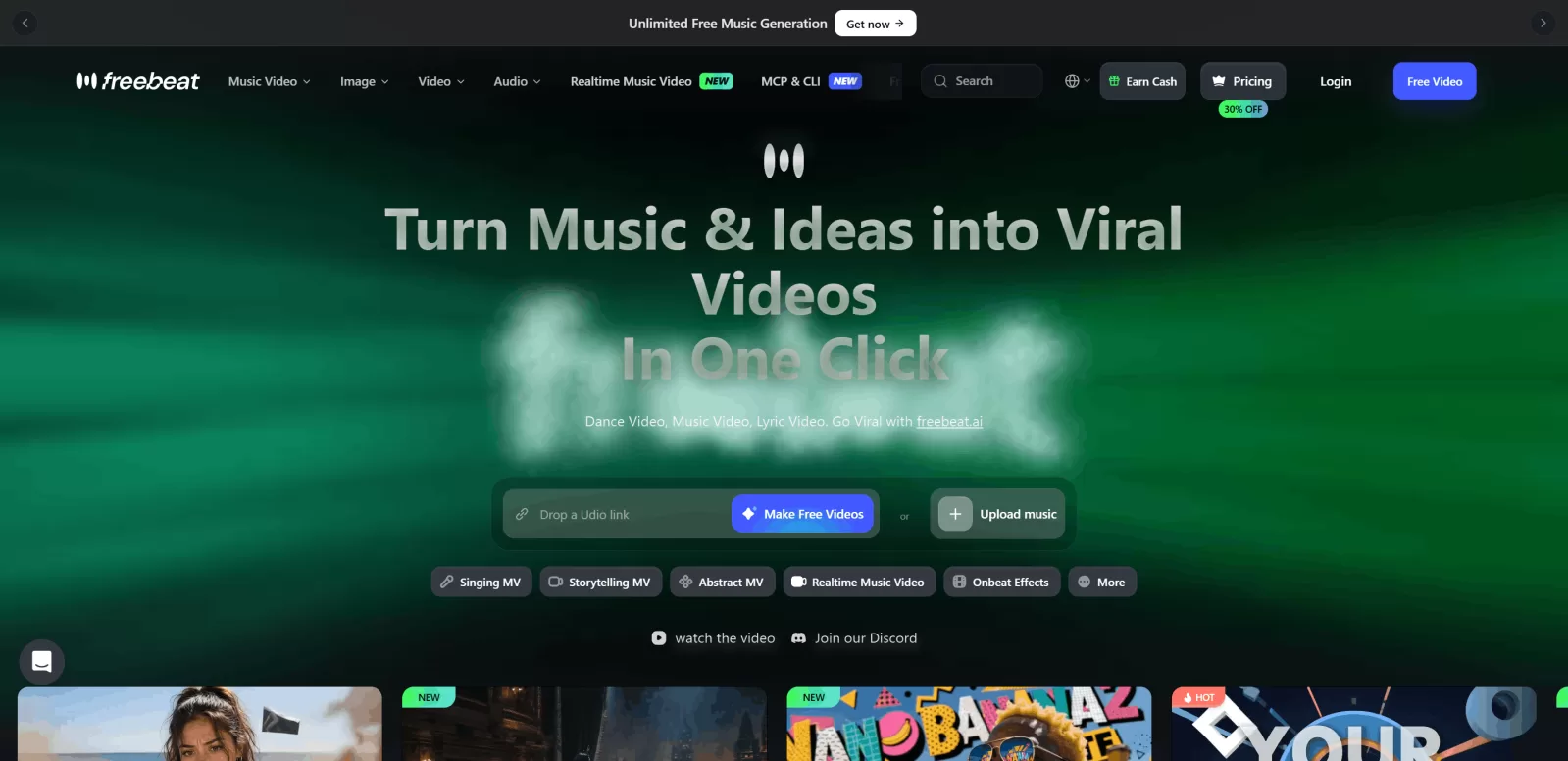
The result is a complete, beat-synchronized music video where every visual transition, every scene cut, and every motion effect reacts to your music rather than running on a generic template. The platform was founded in 2024 by Stanford alumni under RANDOM MOTION TECHNOLOGY INC. and has since generated over one billion seconds of beat-synced content, a milestone reported by Reuters in early 2026.
It is also worth noting that FreeBeat AI (freebeat.ai) is a completely separate product from FreeBeatFit, the indoor cycling brand. If you search "freebeat" and land on a fitness site, you are in the wrong place.
The creation process on FreeBeat AI is straightforward even for complete beginners. You start by uploading an MP3 file or pasting a link from platforms like YouTube, TikTok, Suno, or Udio. The AI then analyzes your track's full structure, mapping every beat, drop, and transition before planning your video.
Next, you choose a creative mode and visual style. FreeBeat offers six distinct creation modes including a lip-synced performance music video, a storytelling narrative music video, an abstract visualizer, an album cover video, a video-to-music mode, and viral short clips with over 500 onbeat effects. From there, the AI acts as a virtual director, generating a scene-by-scene storyboard complete with shot types, pacing decisions, and visual style.
Once the storyboard is ready, you click Create and the platform renders your full video. You can review each scene, refine individual shots, add synced lyrics in karaoke style, and export in the aspect ratio of your choice before publishing directly to TikTok, Instagram, or YouTube.
What separates FreeBeat AI from every competitor is that the visuals are genuinely driven by the music. The platform reads your song's energy curve and ensures that high-energy drops trigger fast cuts, abstract bursts, and dynamic motion while quieter sections hold calmer, more cinematic imagery. In independent testing by Cybernews across 30 real songs, FreeBeat was the only tool where every major beat landed on a visual transition.
FreeBeat gives you real creative flexibility. You can produce a cinematic storytelling video with consistent characters across 80 or more shots, a stage performance video with precise lip sync, a dance video where motion follows the BPM, or an abstract music visualizer for Spotify Canvas loops. Style presets include cinematic, anime, neon noir, and more, and every setting can be customized per scene.
The built-in lyrics video generator automatically times captions to your vocals and supports karaoke-style highlighting and dynamic text animations. For artists releasing singles on platforms where lyric videos drive streams, this feature alone saves hours of manual work.
Beyond music videos, FreeBeat AI integrates AI image generation, video upscaling, lip sync tools, face swap, image editing, and a music creation module into one unified workspace. The platform also supports over 44 video generation models including Kling, Veo, Sora 2, Runway Gen3, Seedance, and more, with intelligent per-scene model switching to maximize output quality.
Freebeat is also an official partner in the Yamaha Creator Pass program, recognizing it as a professional-grade tool in the music creator ecosystem.
FreeBeat AI serves a wide range of creative professionals. Independent musicians and artists use it to release visually polished music videos without a production team. Content creators and influencers rely on it for TikTok-ready vertical clips and YouTube music videos. Dancers and choreographers appreciate how tightly the generated motion tracks the beat. DJs and producers use it to create looping album visuals and performance-style promotional content. Even small indie studios use it to scale video production without complex workflows.
FreeBeat AI operates on a freemium credit-based model. The free plan lets you test the platform and explore core features, though exported videos will include a watermark and generation speeds are slower. To remove the watermark and unlock faster rendering, paid plans start at $4.99 per week for the Basic plan. The Standard plan is priced at $9.99 per month, and the Pro plan is available at $24.99 per month for frequent or professional use. Promotional discounts of up to 30 percent are often applied across all tiers.
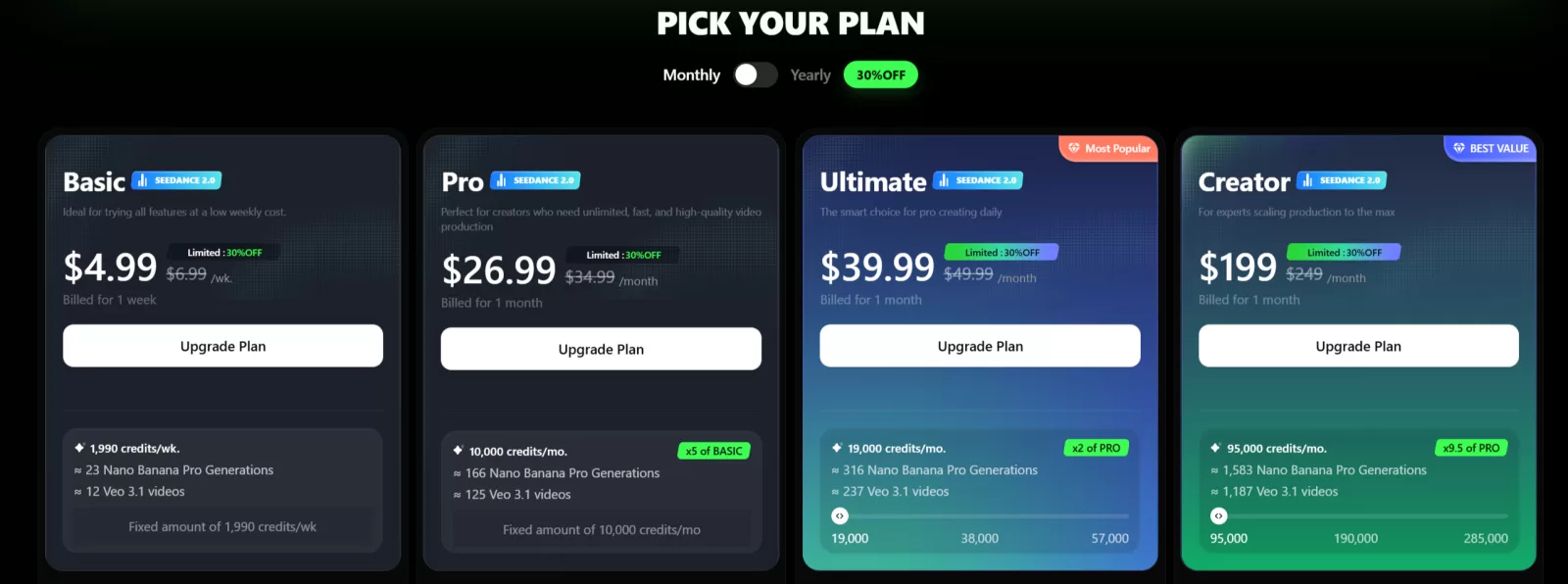
For context, a traditional music video production with a crew typically costs anywhere between $5,000 and $50,000. FreeBeat AI brings that entry point down to single-digit monthly spending.
Most competing tools such as Runway, Kling, and Pika are general-purpose video generators with no native understanding of music structure. They produce impressive individual clips, but building a full music video with them requires entirely manual assembly.
Tools like Kaiber and Neural Frames offer some audio reactivity, but their beat synchronization is more of a mood match than a precise frame-level sync. Neither supports full-length videos, consistent characters, or agent-based storyboarding.
FreeBeat AI is the only platform in 2026 that combines music analysis, automatic storyboarding, character consistency, lip sync, lyric video generation, and multi-model video rendering inside a single automated pipeline. It is purpose-built for musicians, and that focus shows in every output.
Getting the most out of FreeBeat AI comes down to a few simple habits. First, use a clean, well-mastered audio file with a clear dynamic range so the beat detection is as accurate as possible. Second, choose the creative mode that matches the emotional tone of your song before adjusting individual scene prompts. Third, review the AI-generated storyboard before rendering and swap out any scenes that feel off for your vision. Finally, if a generated scene does not match your expectation, regenerate just that clip rather than the entire video to save credits and time.
FreeBeat AI is genuinely one of the most impressive tools to emerge in the AI creator space. It does not just generate random visuals set to music. It thinks in rhythm, plans like a director, and delivers output that feels cinematic and intentional. For independent artists, social media creators, and anyone who wants professional-looking music videos without a production budget, FreeBeat AI is the most complete solution available in 2026.
You can start for free and experience the full workflow at freebeat.ai.
FreeBeat AI includes a free plan that lets you test the platform and generate videos at no cost. However, free-tier exports include a watermark and run on slower generation queues. To remove the watermark and access faster speeds and more features, you need to upgrade to a paid plan starting at $4.99 per week.
FreeBeat AI supports six creation modes: lip-synced singing music videos, storytelling narrative videos, abstract visualizers, album cover videos, dance performance videos, and viral short clips with onbeat visual effects. Every mode can be customized with different visual styles including cinematic, anime, neon noir, and more.
Yes. FreeBeat AI has native integration with Suno and Udio. You can paste a link directly from either platform and FreeBeat will automatically extract the audio, analyze the song structure, and generate a synchronized music video without any manual downloading or converting.
FreeBeat AI supports video generation for tracks ranging from short 15-second social clips up to approximately six minutes for full-length songs. The system automatically adapts the pacing, number of scenes, and visual structure based on your track's total duration.
Yes. You retain full ownership and commercial rights to all videos you generate on FreeBeat AI. The platform does not claim ownership of your content and does not reuse your videos without permission. You are responsible for ensuring you hold the rights to any third-party audio or images you upload.
FreeBeat AI exports videos in HD 720p and Full HD 1080p resolution. It supports three aspect ratios including 16:9 for YouTube, 9:16 for TikTok and Instagram Reels, and 1:1 for square format posts. Because the platform runs entirely in the cloud, no software installation is required.
Share your idea, business goal, or technical issue. We will review your message and reply with practical next steps.
Comments (0)
No comments yet,
Be the first to join the conversation.This discussion will show approved comments from readers.
Leave Your Comment: